TOPDON ONE Review 2026: A Serious Diagnostic Scanner for Professionals and Advanced DIYers
Modern vehicles are essentially computers on wheels. A simple check engine light can involve dozens of interconnected control modules, secure gateways, advanced driver-assistance systems, and manufacturer-specific programming requirements. As vehicles become more complex, traditional code readers are no longer enough.
That’s exactly where the TOPDON ONE positions itself.
Priced around $749, the TOPDON ONE enters one of the most competitive segments of the diagnostic scanner market. Buyers in this price range expect professional-level capabilities, including full-system diagnostics, bidirectional controls, ECU coding, topology mapping, and support for modern communication protocols like CAN FD and DoIP.
On paper, TOPDON promises all of that—and more.
The question is whether it actually delivers enough value to compete with established names like Autel, Launch, and ThinkCar.
After analyzing its specifications, supported features, customer experiences, and direct competitors, here’s an in-depth look at what the TOPDON ONE does well, where it falls short, and who should consider buying it.

Who Is TOPDON ONE For?
The TOPDON ONE is not a basic OBD2 scanner designed solely for reading engine fault codes.
Instead, it’s aimed at users who need deep diagnostic access and advanced repair capabilities.
Ideal buyers include:
Professional Repair Shops
Independent garages that work on multiple vehicle brands can benefit from the scanner’s broad coverage and advanced service functions.
Mobile Mechanics
The wireless VCI and portable design make it practical for on-site diagnostics.
Automotive Technicians
Technicians who perform diagnostics daily will appreciate the topology mapping, ECU coding, and bidirectional controls.
Advanced DIY Enthusiasts
If you regularly repair your own vehicles and want professional-level diagnostic access without paying dealer labor rates, the TOPDON ONE offers a substantial upgrade over entry-level scanners.
Small Fleet Operators
Businesses managing multiple vehicles can use the scanner for preventive maintenance and troubleshooting.
Who Should Avoid It?
While the TOPDON ONE is capable, it isn’t the right tool for everyone.
Casual Car Owners
If you only need to read and clear check engine codes a few times a year, a scanner costing under $100 will likely meet your needs.
Complete Beginners
Although the interface is user-friendly, advanced functions like ECU coding and module programming require technical knowledge.
Budget-Conscious DIYers
At roughly $749, this is a significant investment compared to entry-level scanners.
Users Seeking Lifetime Updates
The first year of updates is free, but ongoing software updates require a paid subscription.
Key Features Overview
Before diving deeper, here are the headline features that define the TOPDON ONE:
| Feature | Included |
|---|---|
| Full-System Diagnostics | Yes |
| Bidirectional Control | Yes |
| ECU Coding | Yes |
| J2534 Pass-Thru | Yes |
| Topology Mapping | Yes |
| CAN FD Support | Yes |
| DoIP Support | Yes |
| 50+ Service Functions | Yes |
| Wireless VCI | Yes |
| Android Tablet | Yes |
| 10.1″ Display | Yes |
| AI Diagnostic Assistant | Yes |
These features place it firmly within the professional scanner category.
Real World Performance
Specifications only tell part of the story.
In actual use, speed and usability often matter just as much as features.
The TOPDON ONE generally performs well in several areas:
Fast Vehicle Identification
Auto VIN detection works quickly on supported vehicles, reducing setup time.
Rapid System Scanning
Full-system scans complete faster than many mid-range scanners.
Smooth Navigation
The Android-based interface feels modern and responsive.
Stable Wireless Connection
The VCI maintains a reliable connection without noticeable lag.
Clear Diagnostic Reports
The ability to generate and share reports improves workflow efficiency.
For technicians handling multiple vehicles per day, these small advantages can save significant time.
Vehicle Coverage
Vehicle compatibility is often the deciding factor when purchasing a scan tool.
The TOPDON ONE supports thousands of models across North American, Asian, and European manufacturers.
Domestic Brands
- Ford
- Lincoln
- Chevrolet
- GMC
- Cadillac
- Dodge
- Chrysler
- Jeep
- RAM
Asian Brands
- Toyota
- Lexus
- Honda
- Acura
- Nissan
- Infiniti
- Mazda
- Subaru
- Hyundai
- Kia
European Brands
- BMW
- MINI
- Mercedes-Benz
- Audi
- Volkswagen
- Porsche
- Volvo
- Jaguar
- Land Rover
Coverage varies depending on model year and specific functions.
Bidirectional Testing
This is one of the biggest reasons professionals upgrade from basic scanners.
Instead of only reading data, the TOPDON ONE can actively command vehicle components.
Examples include:
- Turning cooling fans on and off
- Activating fuel pumps
- Operating door locks
- Cycling ABS pumps
- Triggering relays
- Testing injectors
This capability dramatically speeds up diagnostics.
Rather than guessing whether a component works, technicians can command it directly.
ECU Coding
ECU coding is a premium feature usually found on more expensive platforms.
The TOPDON ONE supports coding functions on multiple manufacturers.
Potential uses include:
Module Replacement
Configure replacement modules after installation.
Feature Customization
Enable or disable specific vehicle features.
Personalization
Modify factory settings.
Backup and Restore
Store existing configurations before making changes.
Keep in mind that coding capabilities vary significantly by manufacturer and vehicle.
J2534 Programming
One feature that separates the TOPDON ONE from many competitors is J2534 Pass-Thru support.
J2534 allows communication between OEM software and vehicle control modules.
Potential applications include:
- ECU programming
- Software updates
- Module flashing
- Factory-level diagnostics
This feature alone can justify the investment for repair shops performing advanced repairs.
However, users should understand that manufacturer software subscriptions may still be required.
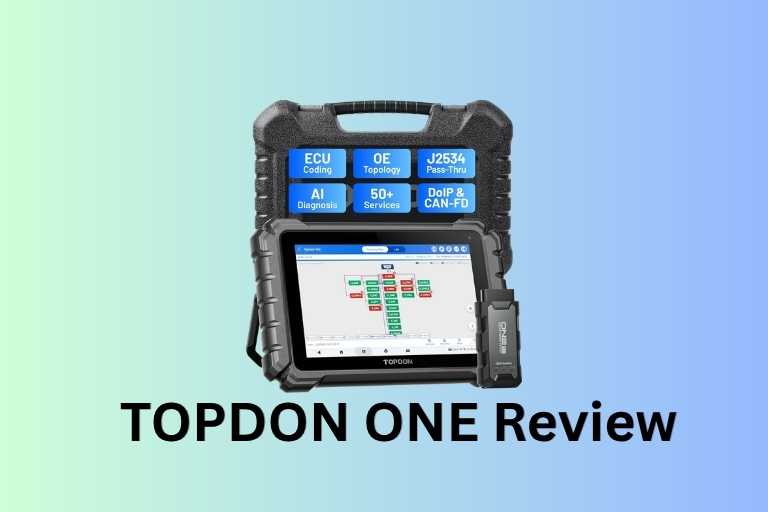
Topology Mapping
Topology Mapping is arguably the scanner’s standout feature.
Instead of displaying modules as a simple list, the scanner presents a visual network map of the vehicle.
Benefits include:
Faster Diagnosis
Quickly identify communication failures.
Easier Network Troubleshooting
See which modules are online or offline.
Better Workflow
Visual layouts are often easier to understand than lengthy module lists.
As vehicles become increasingly networked, topology mapping becomes more valuable.
Service Functions
The TOPDON ONE includes over 50 maintenance and service functions.
Some of the most frequently used include:
Oil Reset
Reset maintenance indicators after oil changes.
EPB Reset
Electronic parking brake service.
Battery Registration
Required on many modern vehicles.
Throttle Adaptation
Relearn throttle body settings.
DPF Regeneration
Essential for diesel maintenance.
ABS Bleeding
Supports brake system servicing.
Steering Angle Calibration
Used after alignment or steering repairs.
TPMS Reset
Tire pressure monitoring system functions.
Injector Coding
Required on certain diesel and direct injection systems.
The availability of specific functions depends on vehicle make and model.
Update Costs & Subscription
Software updates are free for the first year.
Afterward, users can choose:
One-Year Plan
Approximately $299
Two-Year Plan
Approximately $479
Without renewal:
✅ Existing diagnostic functions continue working
✅ Existing vehicle coverage remains accessible
❌ No new vehicle coverage
❌ No new features
❌ No continued warranty benefits
For professionals, the update cost is generally manageable.
For occasional DIY users, it may be harder to justify.
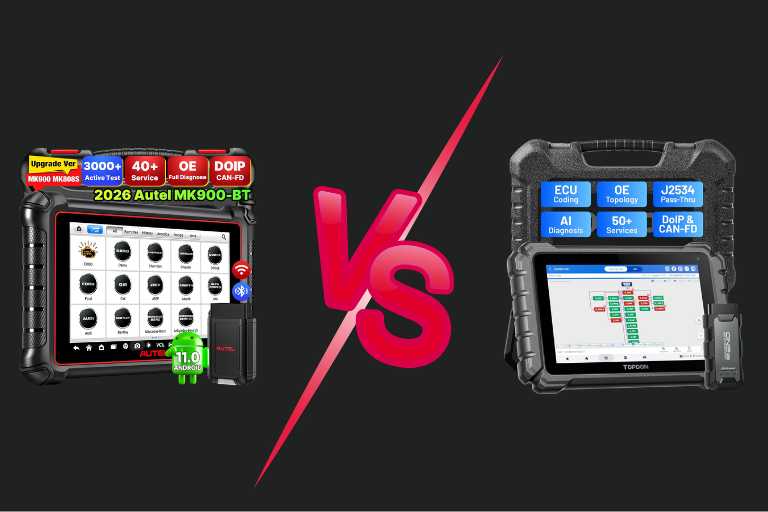
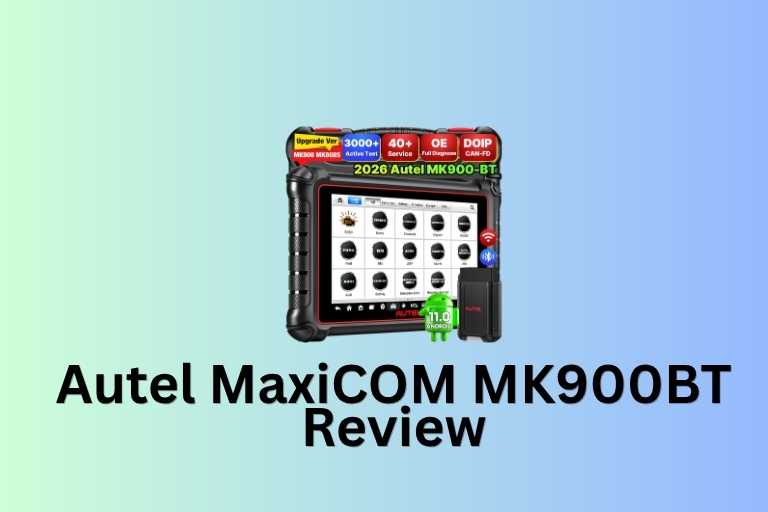
TOPDON ONE vs Autel MK900BT
| Feature | TOPDON ONE | Autel MK900BT |
|---|---|---|
| Screen Size | 10.1″ | 8″ |
| J2534 | Yes | No |
| Topology Mapping | Yes | Limited |
| ECU Coding | Strong | Moderate |
| CAN FD | Yes | Yes |
| DoIP | Yes | Yes |
| Price | Higher | Lower |
Winner
TOPDON ONE offers more advanced capabilities.
Autel remains easier for beginners due to its larger support community.
TOPDON ONE vs Launch X431
| Feature | TOPDON ONE | Launch X431 |
|---|---|---|
| Topology Mapping | Excellent | Excellent |
| ECU Coding | Strong | Strong |
| J2534 | Yes | Model dependent |
| Coverage | Excellent | Excellent |
| Price | Competitive | Often higher |
Winner
Tie.
Launch has a longer reputation, while TOPDON often provides better value.
TOPDON ONE vs ThinkCar 689BT
| Feature | TOPDON ONE | ThinkCar 689BT |
|---|---|---|
| Topology | Better | |
| J2534 | Yes | |
| Coding | More Advanced | |
| Display | Larger | |
| AI Functions | Included |
Winner
TOPDON ONE provides a more complete professional package.
Pros
✔ Excellent feature-to-price ratio
✔ Professional-level diagnostics
✔ Topology mapping is genuinely useful
✔ J2534 support
✔ Advanced ECU coding
✔ Fast wireless communication
✔ Large bright display
✔ CAN FD and DoIP support
✔ Strong vehicle coverage
✔ Over 50 service functions
Cons
✘ Annual update fees after first year
✘ ECU coding varies by vehicle
✘ OEM programming software may require separate subscriptions
✘ Not ideal for complete beginners
✘ Higher upfront cost than mid-range scanners
✘ Some advanced functions require experience
Best Use Cases
The TOPDON ONE is particularly well suited for:
Independent Repair Shops
Provides dealer-like capabilities without dealer-level pricing.
Diagnostic Specialists
Strong network diagnostics and coding support.
Mobile Mechanics
Wireless functionality improves convenience.
Serious DIY Users
Offers professional tools at a more accessible price point.
Frequently Asked Questions
Does TOPDON ONE work on Ford vehicles?
Yes, including many modern Ford models.
Does it support Toyota?
Yes.
Does it support GM vehicles?
Yes.
Does it read transmission codes?
Yes.
Does it read ABS codes?
Yes.
Does it read airbag codes?
Yes.
Can it perform active tests?
Yes.
Is bidirectional control included?
Yes.
Can it perform ECU coding?
Yes, on supported vehicles.
Does it support J2534?
Yes.
Can it flash modules?
Potentially, when paired with OEM software.
Is topology mapping useful?
Very useful for network diagnostics.
Does it support CAN FD?
Yes.
Does it support DoIP?
Yes.
Is a subscription required?
Not to use existing features.
What happens if updates expire?
You keep existing functionality but lose future updates.
Is it suitable for professionals?
Absolutely.
Is it suitable for beginners?
Not ideally.
Does it come with a carrying case?
Yes.
Is it worth the money?
For professionals and advanced DIY users, it offers excellent value.
Final Verdict
The TOPDON ONE successfully fills the gap between affordable enthusiast scanners and expensive dealer-level diagnostic platforms.
Its combination of:
- Full-system diagnostics
- Bidirectional controls
- ECU coding
- J2534 programming support
- Topology mapping
- CAN FD and DoIP compatibility
- 50+ service functions
makes it one of the strongest diagnostic tool values currently available under $1,000.
For independent shops, mobile mechanics, and advanced DIY enthusiasts, the TOPDON ONE offers capabilities that would have required multiple tools—and a significantly larger budget—just a few years ago.